Three ways to get Shopify orders into Printavo
Automation, Campaigns, and Queue, how each PrintFlo export mode works and which one fits your shop's production workflow.

- Shopify
- Printavo
- Workflows
If you run a print shop on Shopify, you already know the tedious part: every order that comes in has to be re-keyed into Printavo before production can start. Sizes, quantities, print locations, mockups, customer shipping details, all of it, by hand.
PrintFlo removes that step. It exports Shopify orders straight into Printavo with the production-critical data attached. But not every shop runs the same way, so PrintFlo gives you three export modes. Most shops end up using a combination, and you can switch between them anytime.
Automation
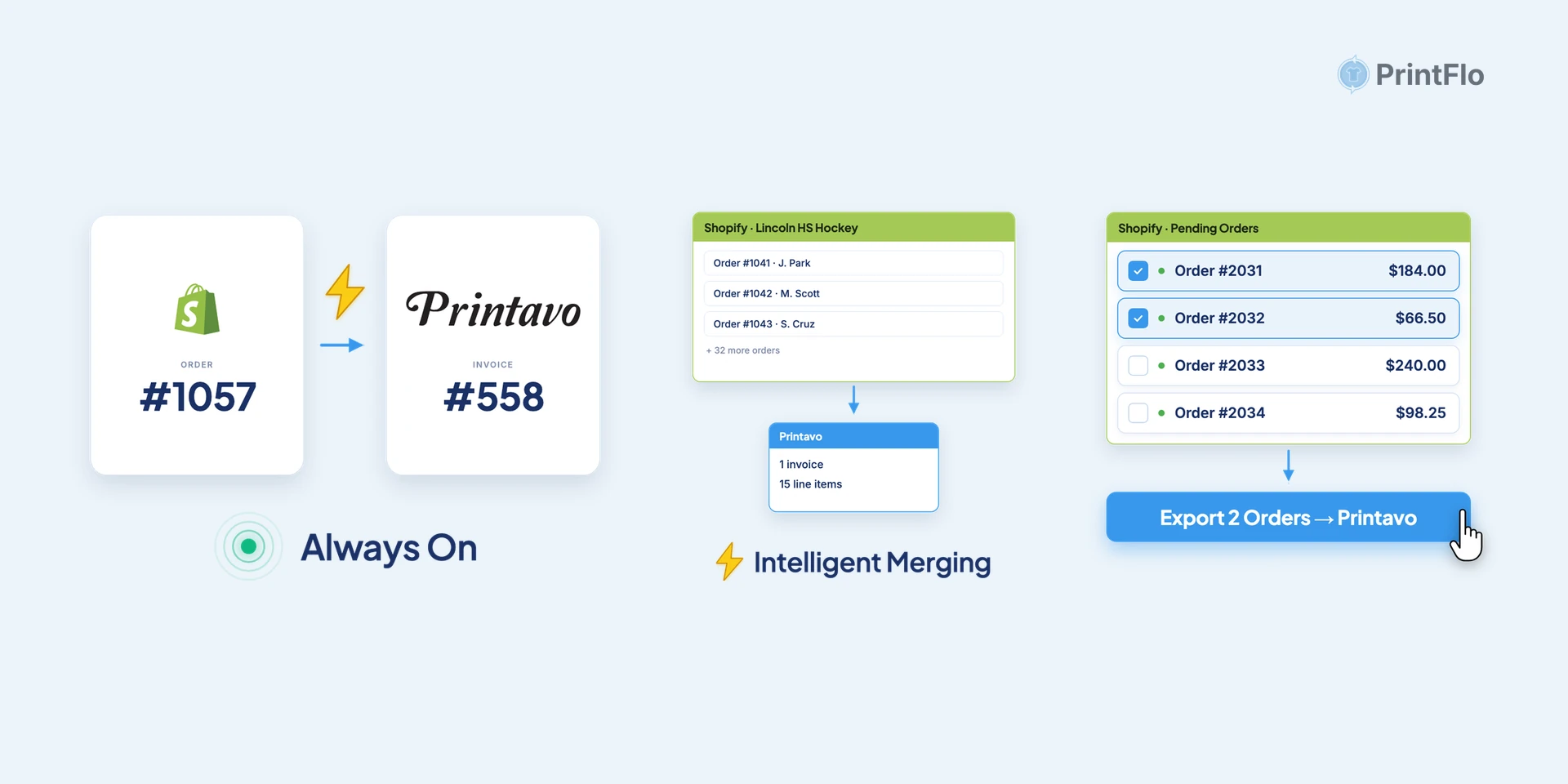
Every Shopify order becomes its own Printavo invoice the moment it’s placed. Completely hands-off.
This is the mode for print-on-demand fulfillment, when each order is independent and you want an invoice waiting in Printavo without lifting a finger.
Campaigns
Pick which products ship together, then export multiple Shopify orders as a single Printavo invoice with one click.
Campaigns are built for group orders, team stores, and pre-order drops, anywhere a batch of individual Shopify checkouts really represents one production run. PrintFlo’s intelligent merging aggregates line items by product and brings over quantities by size and print location, so a stack of orders becomes one production-ready invoice.
Queue
Choose which Shopify orders to group together on your terms. All items from each order stay together in the same Printavo invoice.
The Queue gives you manual control when neither full automation nor campaign batching is quite right.
What comes across, every time
Whichever mode you use, each export carries everything your team needs to start printing without going back to Shopify to look anything up:
- Products, sizes, quantities and mockups
- Customer name, email and shipping address so you can fulfill the order
- Item numbers, imprints and artwork files, automatically attached
For a field-by-field breakdown of what moves from Shopify into Printavo and how PrintFlo compares with Zapier or manual entry, see the Printavo Shopify integration page.
Most shops are syncing live orders within 10 minutes of installing, the longest part is grabbing your Printavo API key, and you don’t need a developer.
Ready to try it? Start your 14-day free trial on the Shopify App Store, or schedule a free demo.